Was this page helpful?
Help & Support
Taking payments with your BNZ Pay Portable EFTPOS terminal
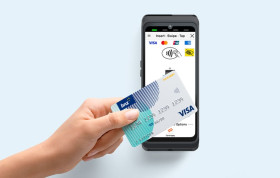
To learn how to take card payments with your BNZ Pay Portable EFTPOS terminal, follow the steps below, or use the downloadable guide.
1. Enter the purchase amount
On the payment screen, enter the amount. You can tap the tag icon in the top-right hand corner of the terminal screen to add a reference to the transaction, which you can see in your transaction history. Tap Purchase.
2. Take your customer’s payment
Ask your customer to tap, insert, or swipe their card, digital wallet, or wearable device. Select Other Payment Options for QR code payments such as Payap.
3. Payment is approved
The terminal will display Approved to confirm the payment has been successful. If the payment isn’t approved, please call us on 0800 729 254.
4. Choose if the customer would like a receipt
Select Email to send a receipt or No Receipt to complete the transaction.