Was this page helpful?
Help & Support
How to set up your BNZ Pay Portable EFTPOS terminal
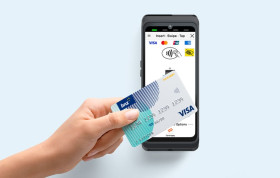
To learn how to set up your BNZ Pay Portable EFTPOS terminal, follow the steps below, or use the downloadable guide.
1. Turn your terminal on
Press and hold the Power button (on the left-hand side of the terminal) for a few seconds until the screen lights up.
2. Your terminal will power up
Your terminal will open on the Payment screen. If your terminal is connected to Wi-Fi or 4G, you can start processing transactions straight away. If not, follow the steps below to connect to Wi-Fi.
3. Connect to Wi-Fi
Swipe down from the top of the screen to open the notification bar, then tap and hold the Wi-Fi icon.
4. Find your network
Select your network from the list of available networks. If you’re using a hotspot from your mobile device, this will also appear in the list of available networks to connect to.
5. Connect to the network
Follow the on-screen prompts, then select Connect. Once connected, select the circle button at the bottom of the screen to return to the Payment screen.